Windows Storage Detection Repair Service

Windows Storage Detection Repair Service - 1
1 / 2

Details

Specialization
Support & IT
Type of Service
Programming & Tech

Windows Storage Detection Repair Service Highlights

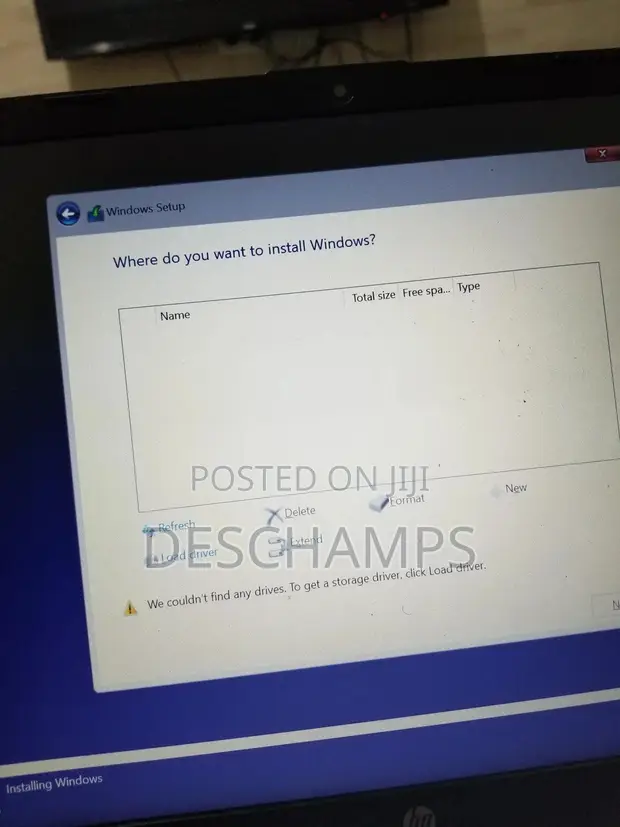
  • Common Storage Issues: A 'No Storage Device Found' error can stem from various causes, including loose connections, drive failure, or BIOS/UEFI configuration problems. Troubleshooting often involves checking physical connections and verifying drive recognition in system settings.
  • BIOS/UEFI Configuration: The BIOS or UEFI settings are crucial for how a computer recognizes storage devices. Incorrect settings, such as the boot order or SATA mode, can prevent the system from detecting hard drives or SSDs.
  • Hardware vs. Software: Diagnosing this issue requires differentiating between hardware failures (like a faulty drive or cable) and software conflicts or configuration errors. Professional IT support can systematically test each component.
  • Data Recovery Potential: Depending on the cause of the 'No Storage Device Found' error, data recovery might be possible. If the drive itself is physically intact but not recognized, specialized services can often retrieve valuable files.
  • System Stability Impact: The inability to find a storage device means the operating system cannot load, rendering the computer unusable. Resolving this is essential for restoring full system functionality.

Description

• Fixes 'No drives were found' error during Windows 10/11 installation. • Detects and resolves issues with SSD/HDD not showing up. • Installs necessary Intel VMD/NVMe storage drivers. • Assists with BIOS and UEFI configuration for optimal detection. • Includes clean Windows installation services. • Experienced with HP, Dell, Lenovo, ASUS, Acer, and other laptop brands. • Service area: Nungua and surrounding areas. • Fast, affordable, and reliable technical support.